install.packages("glue")Lesson 4: R Packages
R is a free and open-source programming language that specializes in data analysis and visualization. The previous sections describe how to download and install R as well as how to install RStudio, a population integrated development environment (IDE) for R. In addition to downloading and installing R and RStudio, as you begin to use R, you will likely also download and install R packages.
What is an R package?
An R package is additional software that enhances and extends the R programming language. R packages build on and supplement R and enable R users to do more than is built directly into R.
Think of a smartphone as an example. When you get a new smartphone, you can make phone calls, send text messages, and visit websites. But if you want to watch a movie on Netflix or listen to music on Spotify, you need to download those specific apps to your phone. After you’ve downloaded the app, whenever you want to watch a movie, you open the Netflix app. R and R packages work the same!
The standard or “base” R software has a lot of built-in functionality. But there are more than 20,000 additional packages that allow you to use R in even more ways. There are many different types of packages, including packages that allow you to perform complex statistical analyses, create interactive visualizations, share datasets, and more. R packages are developed by the R user community, and one of the best parts of using R is that you have access to all these additional tools and resources—for free!
Installing R packages
To use an R package, you must first download and install it on your computer. The easiest way to do this is from RStudio. To test this out, let’s install the glue package. In the Console pane, type the following and press Enter:
If the package installed correctly, you should have output that looks similar to this:
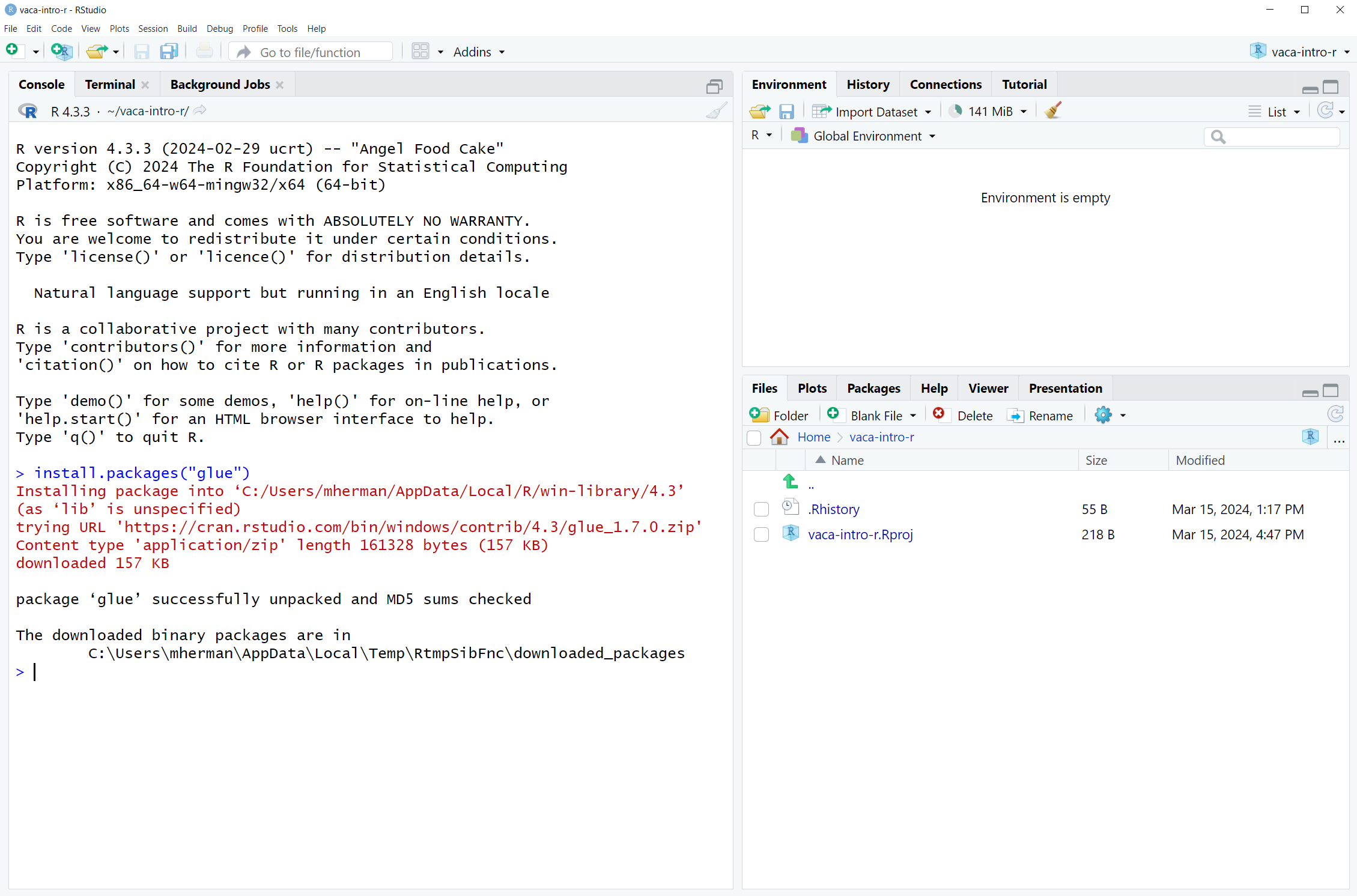
Note that even though there is a lot of red text on the screen, this is not an error message; everything worked correctly.
Using R packages
Like with a smartphone app, you only need to download an R package once. But to use a package, you have to “attach” it every time you reopen RStudio. Attaching a package alerts R that you are planning on using functionality from that package in your R session. To attach the glue package we just downloaded, type the following into the Console and press Enter:
library(glue)If nothing happens, that means it’s working (I know this is confusing!). And now, as you continue to write R code you will be able to use functions from the glue package.
If you want to check which packages are currently installed or attached, click on the “Packages” tab of the lower right pane in RStudio. All packages that are installed on your computer will be listed here. Packages that are attached will have a check mark next to them.
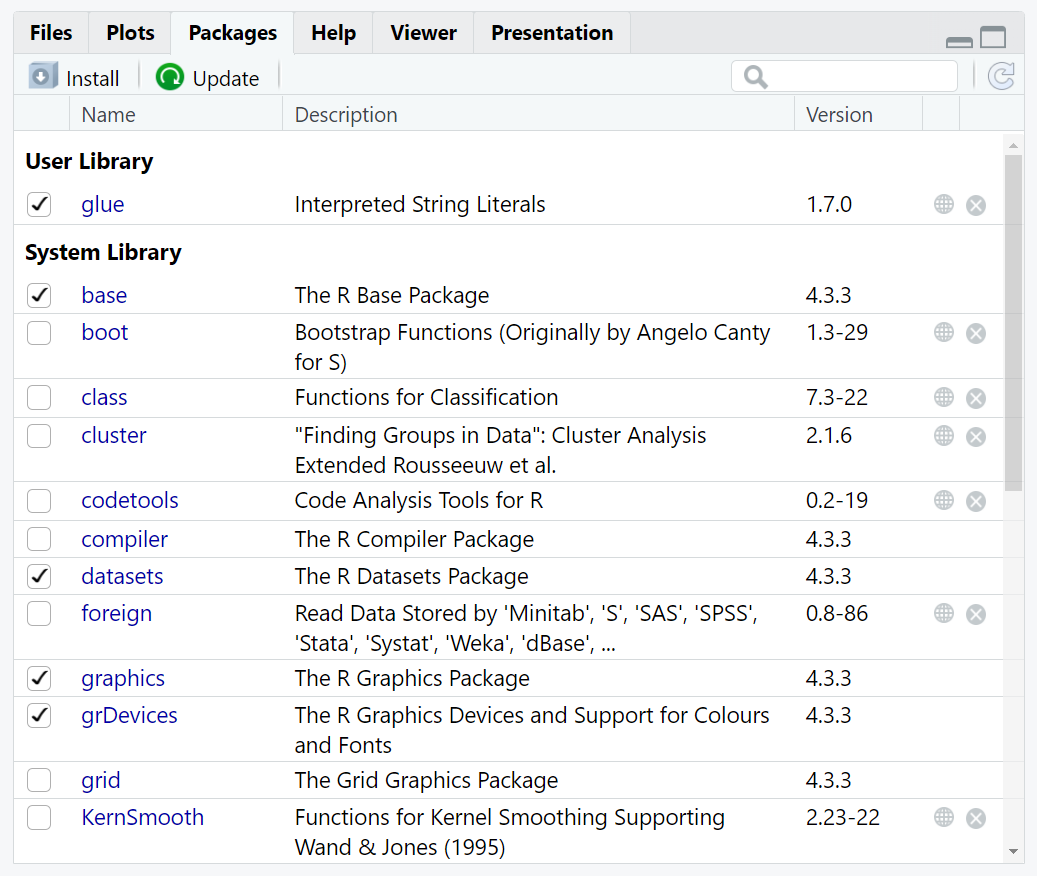
You might notice additional packages in the “System Library.” These packages come with the standard or base R installation and are installed and attached automatically when you install and start R.
Which packages to use
There are more than 20,000 R packages hosted on the Comprehensive R Archive Network (CRAN). As you get started using R, we recommend that you don’t worry too much about finding or researching R packages. If you run into situations where you need additional functionality or you find some example code that uses a package, you can install packages then, as you need them.
One package that we highly recommend you install now is called the tidyverse package. The tidyverse is a set of packages that work well together and have common syntax for data manipulation and visualization. We’ll be relying heavily on the tidyverse throughout this course. To install the tidyverse, type the following into RStudio Console and press Enter:
install.packages("tidyverse")Because the tidyverse is a set of packages, you’ll see a lot of red text scrolling through the Console as all the tidyverse packages are installed.
Resources
- Statistical Inference via Data Science: A ModernDive into R and the Tidyverse!, Second Edition Chapter 1.3: https://moderndive.com/v2/getting-started.html#packages
- tidyverse website: https://www.tidyverse.org/packages/